Administration
Enterprise SSO
Four steps, self-serve, with an option to hand the whole thing to a customer's IT admin through a scoped link.
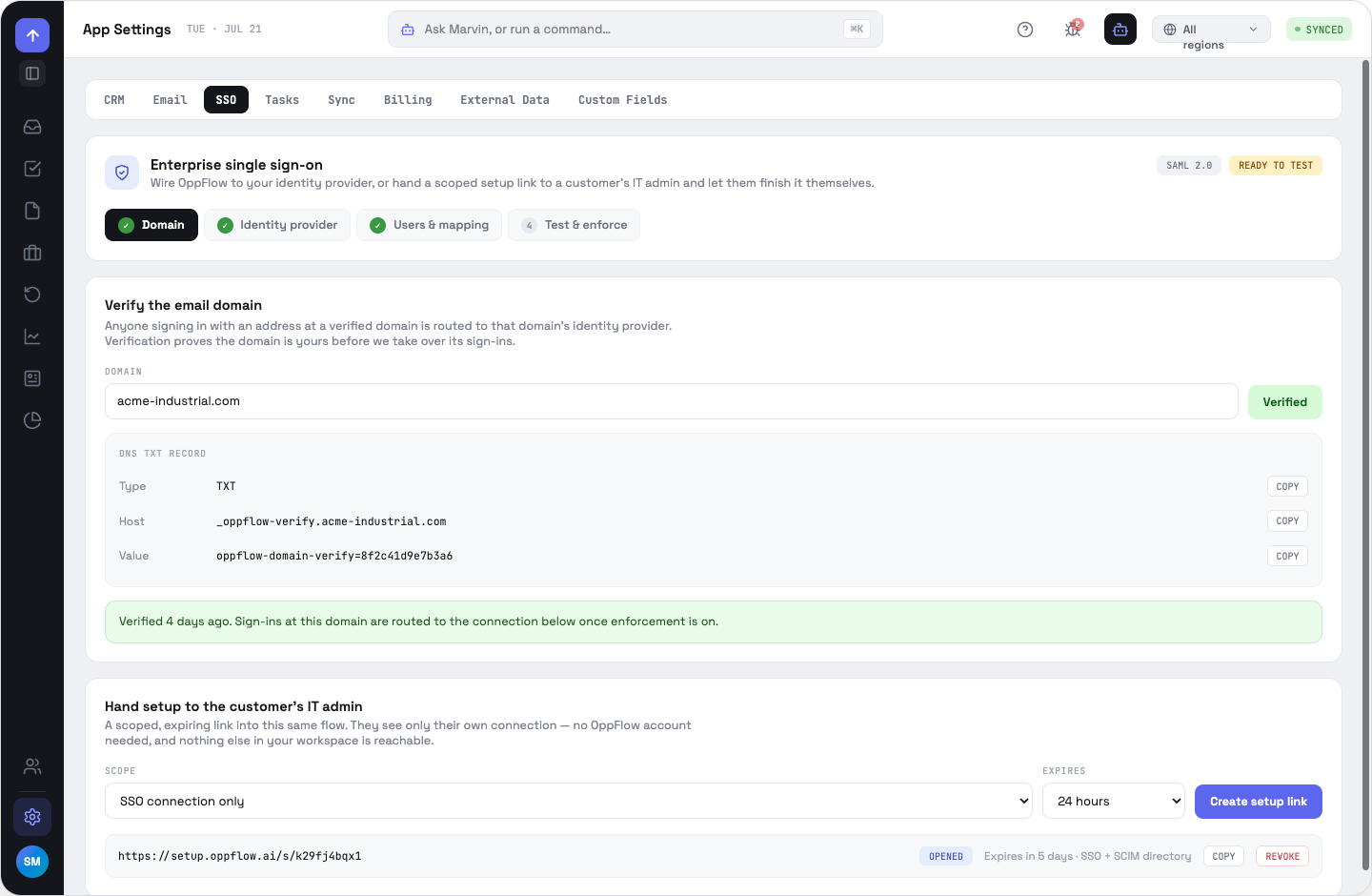
Status, in order
NOT CONFIGURED → DRAFT → READY TO TEST → ACTIVE → ENFORCED
1 · Verify the domain
Enter the email domain, publish the TXT record shown (type, host and value each with a copy button) and click Verify. Anyone signing in with an address at a verified domain is routed to that domain's identity provider. Allow for DNS propagation.
2 · Identity provider
Pick SAML 2.0 or OIDC, then a preset — Okta, Microsoft Entra ID, Google Workspace, Ping Identity, JumpCloud, OneLogin — which adds a provider-specific hint line.
For SAML, a metadata URL is recommended because it rotates the certificate for you; the manual path takes IdP entity ID, SSO endpoint and an X.509 certificate. For OIDC: discovery URL, client ID, client secret. The dark panel beside it holds our side of the connection — ACS/reply URL or redirect URI, SP entity ID, name-ID format or post-logout and scopes, each copyable, plus a downloadable SP metadata file.
3 · Users & mapping
Map claims to fields. Email, first name and last name are required; role, region and title are optional. Turn on just-in-time provisioning and set the default role (AE) and region for someone arriving with no mapping. Ordered group rules translate an IdP group into an OppFlow role — first match wins.
4 · Test & enforce
Run test sign-in returns the claims actually received — name ID, first name, role, groups — and is blocked until the provider fields are complete. Then: require SSO for the domain (needs a passing test), keep a break-glass admin password, and deprovision on IdP removal. Session length is 4 hours, 8 hours, 24 hours or 7 days.
Handing setup to the customer's IT admin
Create a setup link, expiring in 24 hours, 7 days or 30 days. The recipient completes the connection with no OppFlow account and sees nothing else in your workspace. Links list their state — UNUSED or OPENED — and can be revoked.
OppFlow.ai docs · by Traversal · v0.1.32