Marvin & Plays
Marvin, the assistant
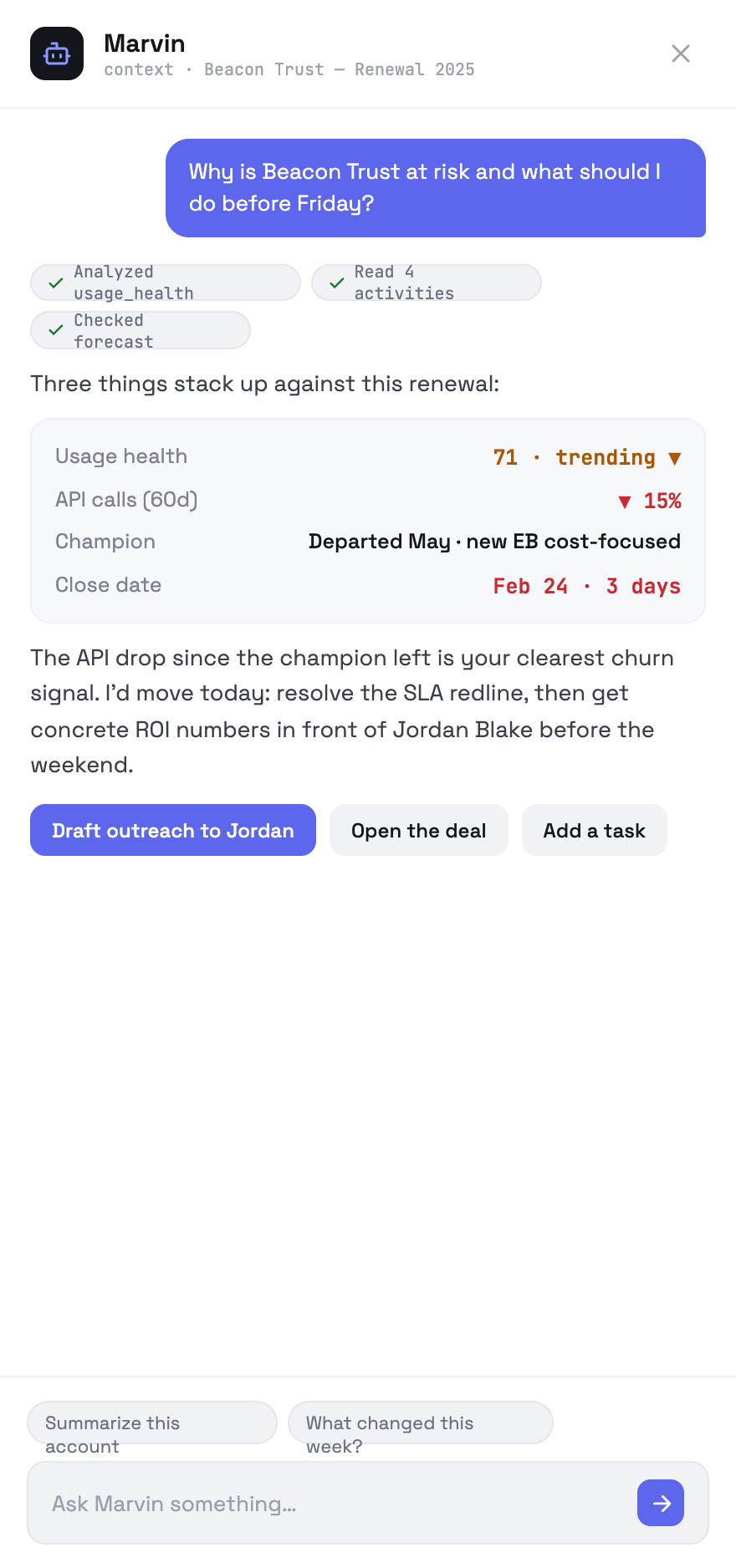
Marvin is not a page. He is the command bar, a drawer, the dark card on every record, and the thing that drafts your email.
Where he appears
He knows where you are
The drawer carries page context — the route and the record you are looking at — so “why is this at risk?” on a deal needs no further explanation. The chips above an answer show which tools he actually called: read activities, checked forecast, analysed usage health. That is the evidence trail; if an answer looks wrong, the chips are where you look first.
Answers can act
A response can carry actions — open a deal, open a task, jump to an article, draft outreach. Some fire automatically; the rest are buttons under the answer. Anything that would send mail always opens the composer for review first.
OppFlow.ai docs · by Traversal · v0.1.32