Administration
System of record
The single most consequential setting in the workspace: where deal records actually live. Exactly one option is active.
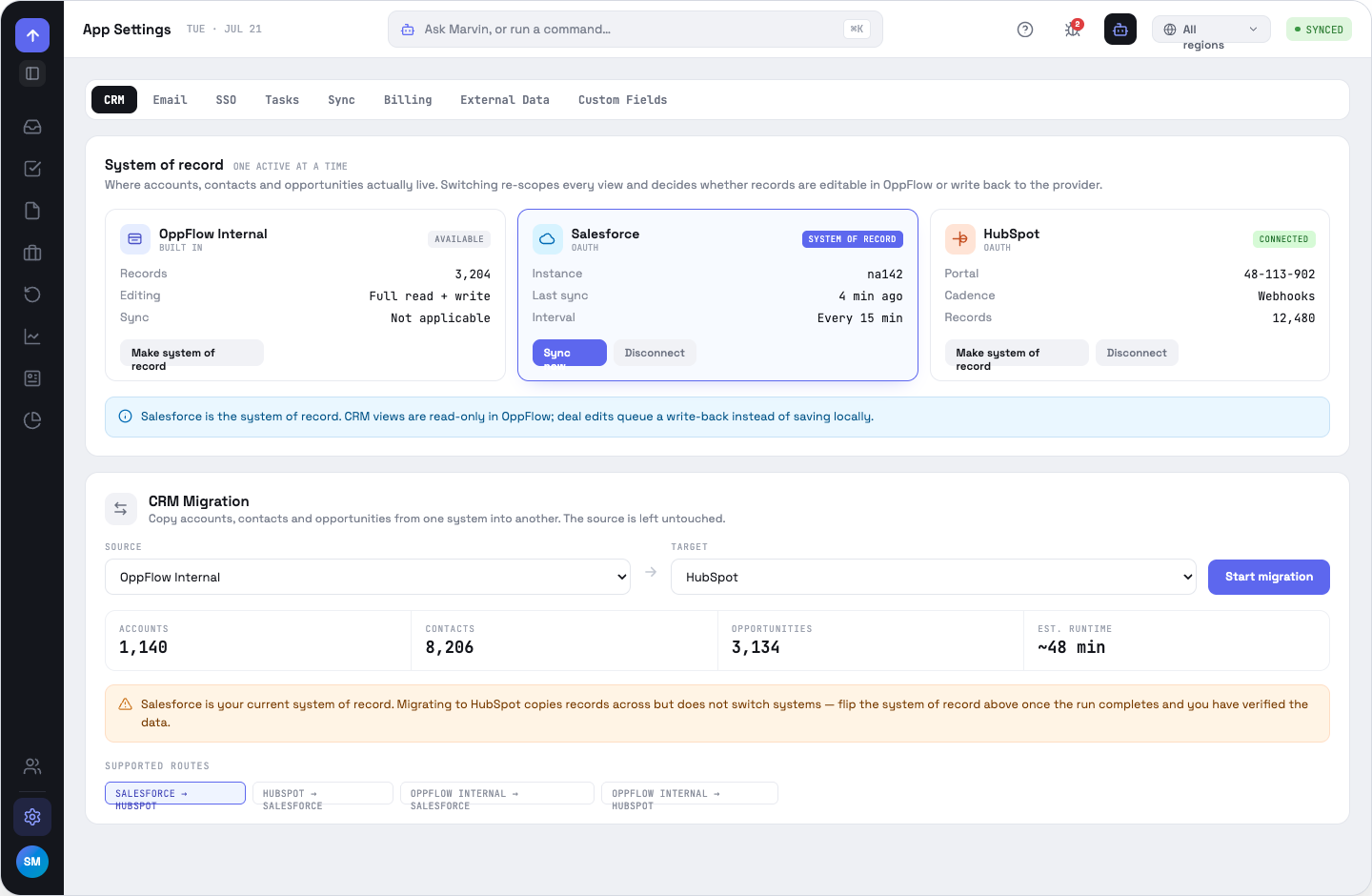
The three modes
OppFlow Internal BUILT IN
Records live here and are fully editable. No write-back, because there is nowhere to write back to.
Salesforce OAUTH
Read-only mirror in OppFlow; edits queue a write-back. See Salesforce.
HubSpot OAUTH
Same contract. See HubSpot.
Two separate axes
Connected means a stored credential — both Salesforce and HubSpot can be connected at once. System of record means where the records live, and there is exactly one. The card labels each state distinctly: SYSTEM OF RECORD, CONNECTED, NOT CONNECTED, AVAILABLE.
What the choice drives
The banner on CRM views, the source pill on every timeline row, whether deal edits are direct or queued, whether a record deep-links out to the CRM, and what the Log call sheet promises. Switching is confirmed, because it changes all of that at once.
OppFlow.ai docs · by Traversal · v0.1.32