Working deals
The opportunity record
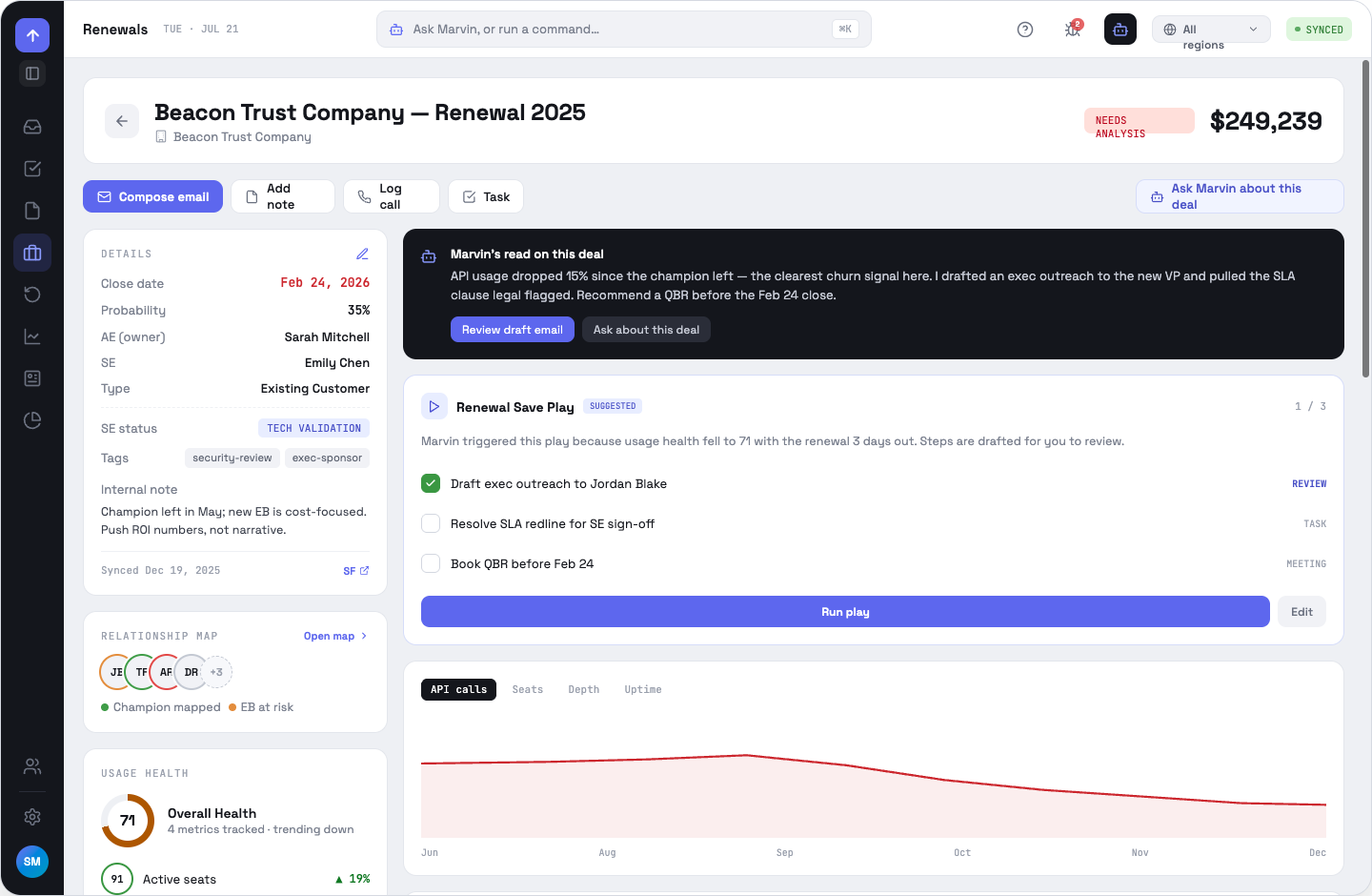
Everything about one deal on one screen: synced CRM fields, your own context, Marvin's read, any triggered Play, usage health and the full activity history.
Details, and what is yours
The top half of the Details card is CRM-owned — close date, probability, owner, type. Below the dotted rule is app-local: SE status, tags and an internal note. App-local fields never leave OppFlow and survive every CRM sync, which is the point of having them.
The action bar
The dark cards
A dark card always means Marvin. On a deal that is Marvin's read — a short, evidence-backed statement of what is happening and what to do next, with the draft it already prepared. A Play card appears when a play's trigger matches this deal.
Usage health
The donut is the blended score; the chart below plots one metric at a time over six months. Both appear only when the account has usage data configured and flowing.
OppFlow.ai docs · by Traversal · v0.1.32