Working deals
Relationship maps
Who is in the room, who reports to whom, who is for you and who is not. One map per deal, plus a canonical map per account.
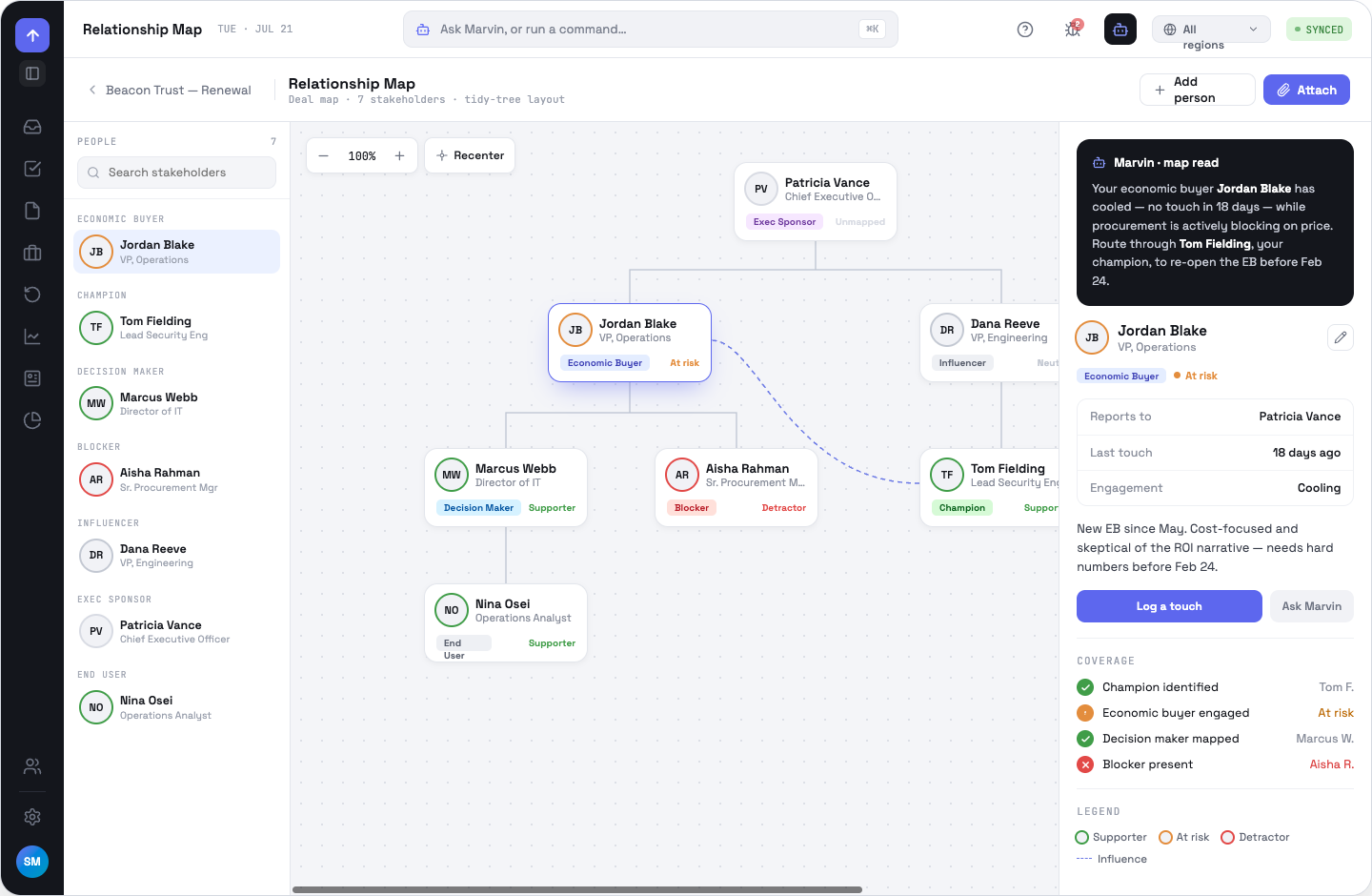
Buying roles and sentiment
Each person carries a buying role — economic buyer, champion, decision maker, blocker, influencer, exec sponsor, end user — and a sentiment: supporter, at risk or detractor. The rail groups by role; the ring colour on a card is sentiment. Solid lines are reporting; dashed lines are influence.
Moving around
Drag the background to pan; ⌘-scroll, pinch or the zoom pill to zoom between 40% and 110%. Recenter refits the chart and puts the top of the org at the top of the view. On a large account, branches fold on first open so the chart fits at a readable zoom — the economic buyer, champion and blocker are never folded away. Folded people stay listed in the rail and jumping to one unfolds whatever hides them.
Editing the map
- Add person — name, job title, buying role, sentiment and who they report to. They appear as a real node with a reporting edge.
- Edit stakeholder — the pencil in the detail panel; also where you remove someone from the map.
- Attach — copy the map onto another deal or the account map, or link it from a note.
- Merge maps — reconcile a deal map into the account's canonical map. The list of NEW / UPDATED / LEFT changes is a server dry run, so what you approve is exactly what happens.
People you add are app-local — they do not become CRM contacts. Maps persist on the account after a deal closes, so the account keeps live and archived snapshots per opportunity.
OppFlow.ai docs · by Traversal · v0.1.32